






March Hare Software provide a range of Windows based Clients so you can choose one that best suits your workflow and environment. Choose from a traditional server and client view CVS Suite Studio, the windows explorer plugin TortoiseCVS that is so simple to use it has earned the moniker Enjoyable Version Control or the expert power of WinCVS. Buy now for £85.
IDE integrated?
CVS Suite on Windows includes Visual Studio .NET SCCI and native integration as well as documentation for support for Eclipse and Oracle JDeveloper so you can use CVS Suite directly from your favourite IDE. On Mac OS X there is included support for Eclipse and BBEdit.
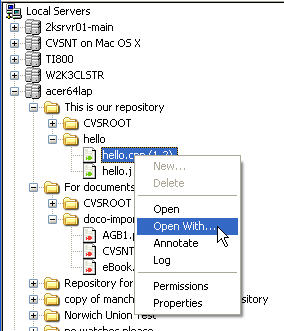
CVS Suite Studio
CVS Suite Studio provides an easy to way to browse the repositories on your local network and create Workspaces on your own PC. Whether it is setting up Access Control Lists, having a quick view of a file in the repository or checking out a branch CVS Suite Studio is the ideal tool to get started with.
TortoiseCVS
Experience the breakthrough new TortoiseCVS with support for Change Sets built in, and including bug fixes for Windows 10. Work with files under CVS version control directly from Windows Explorer with a context sensitive right click menu that predicts which actions are available for a file.
WinCVS
WinCVS is a sophisticated graphical user interface that helps you to utilize the full power of CVS. Regardless of whether you are an expert or a novive, WinCVS will allow you to get started with CVSNT quickly.


